
Burmese TV Pro iOS: Download and Install on iPhone and iPad
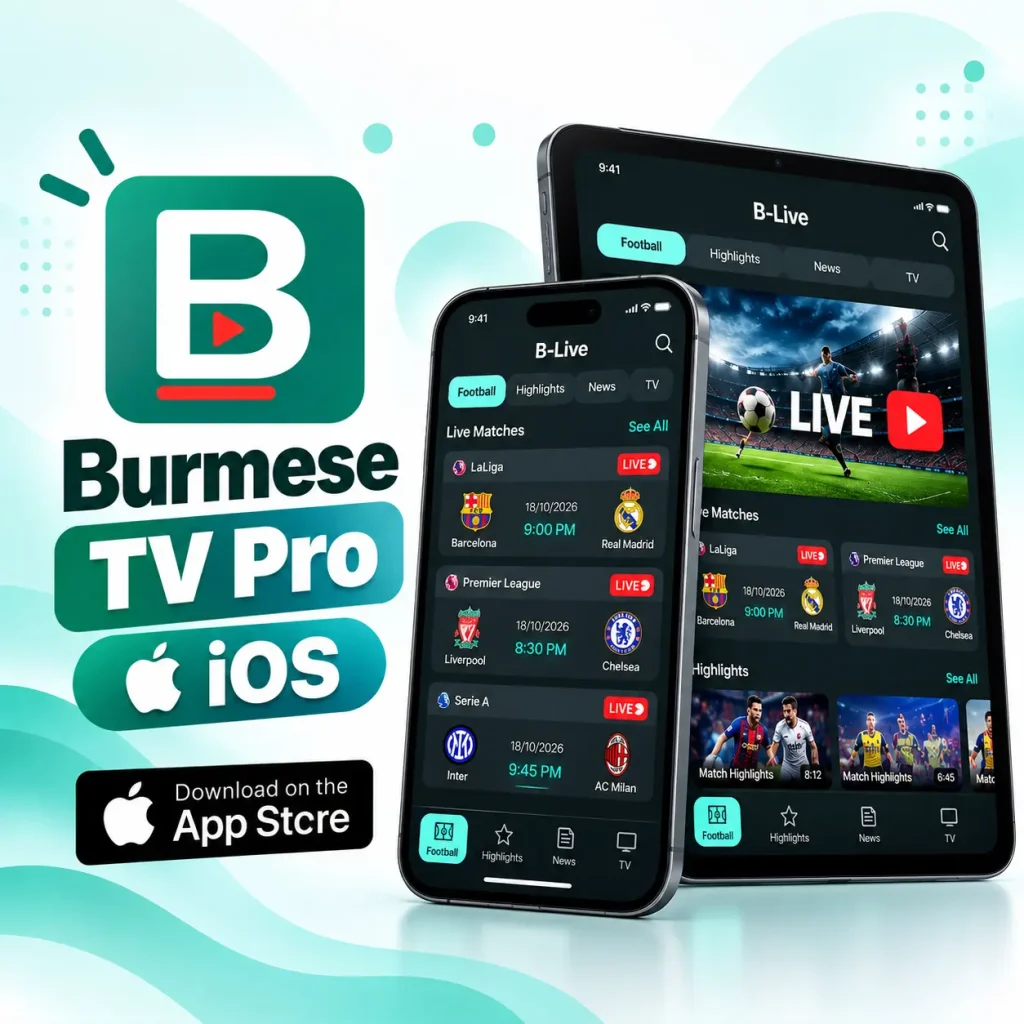
Burmese TV Pro iOS is a football focused streaming app which also has football related news highlights and fixtures. It is available on the App Store with the name “Burmese Tv-BStream” and you can install it the same way you install any other iPhone app. This guide shows you what the iPhone and iPad version offers, what your device needs, and how to install it step by step. It also covers privacy details, common problems, and the version history listed on the App Store.
Last updated: October 2026
What Is Burmese TV Pro iOS?
Burmese TV Pro iOS is the iPhone and iPad version of a free football app made for Burmese speakers. It brings the things a fan checks every day into one place: match schedules, highlights from finished games, sports news in Burmese, and a small set of Myanmar TV streams. People use it for a simple reason. Instead of jumping between websites and social pages to find kick-off times, replays, and news, you open one app. That makes it handy for Burmese-speaking fans, including those living outside Myanmar.
Behind the scenes, the app plays video through a built-in player. The App Store describes it as a fast player for direct streaming links and common video formats, with the tagline “Fast & Easy URL Play.” It can also send push notifications, and it is free to use with ads. To find it, search the App Store for Burmese Tv-BStream from the developer Thet Zaw Lat. The store title is different from the name used on this site, so use the store name when you search.
App Details
| Detail | Information on the App Store |
|---|---|
| Store name | Burmese Tv-BStream |
| Developer | Thet Zaw Lat |
| Price | Free |
| Category | Entertainment |
| Size | 30.6 MB |
| Language | English |
| Age rating | 16+ |
| Current version | 1.1.2 (updated 26 Aug) |
| Rating | 4.4 out of 5, from 84 ratings |
| Contains | Advertising and unrestricted web access |
The rating, size, and version can change over time. Check the App Store page for the latest numbers.
Features
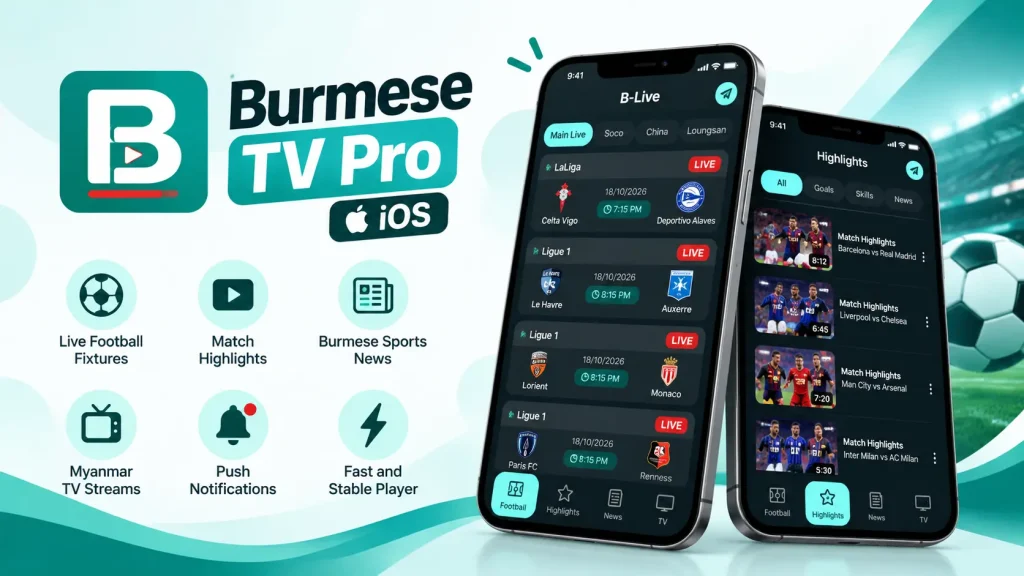
Burmese TV Pro iOS is built for football fans who read Burmese. Like the Android version, it centers on football: you can follow fixtures and games in progress, rewatch key moments from finished matches, skim sports headlines written in Burmese, and open a small selection of Myanmar TV streams. Video plays inside the app through a native player that was added in version 1.1.1, which the developer says improved speed and stability.
The app can also send push notifications, another addition from version 1.1.1, so you can hear about new content without keeping it open. It is free to use and supported by ads, which the listing confirms with its “Advertising” label. For a full tour of each screen, see our main guide to the Android app.
iPhone and iPad Requirements
| Device | Requirement |
|---|---|
| iPhone | iOS 15.0 or later |
| iPad | iPadOS 15.0 or later |
| iPod touch | iOS 15.0 or later |
| Free storage | At least 30.6 MB, plus extra room for updates |
| Internet | Needed for video and updates |
To check your iPhone version, open Settings > General > About and look at iOS Version. If your device is older than iOS 15.0, the App Store will not let you install the app. The listing also says the app can run on Macs with an Apple M1 chip or later, and on Apple Vision devices. The store notes that it is not verified for macOS, so results on a Mac can vary.
How to Install Burmese TV Pro on iPhone or iPad
The App Store is the only supported way to get Burmese TV Pro for iOS. There is no iOS APK. An APK file is an Android format, and an iPhone cannot open it. If a website offers a Burmese TV Pro iOS APK download, it is not the real app, so stay away from it. You also do not need to change any security setting. Unlike Android, iPhone does not ask you to allow unknown sources, because the app comes straight from the App Store.
You can install it on an iPhone or an iPad with the same steps. Your device also needs a working Apple Account signed in to the App Store.
Installing Steps
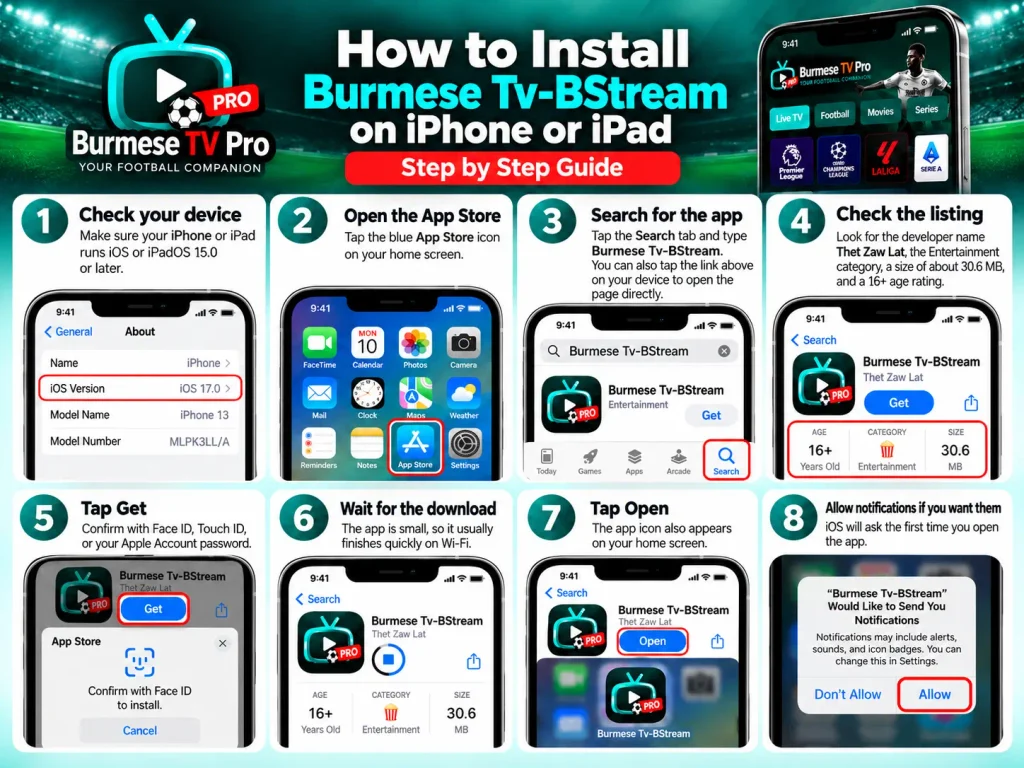
- Check your device. Make sure your iPhone or iPad runs iOS or iPadOS 15.0 or later.
- Open the App Store. Tap the blue App Store icon on your home screen.
- Search for the app. Tap the Search tab and type Burmese Tv-BStream. You can also tap the link above on your device to open the page directly.
- Check the listing. Look for the developer name Thet Zaw Lat, the Entertainment category, a size of about 30.6 MB, and a 16+ age rating.
- Tap Get. Confirm with Face ID, Touch ID, or your Apple Account password.
- Wait for the download. The app is small, so it usually finishes quickly on Wi-Fi.
- Tap Open. The app icon also appears on your home screen.
- Allow notifications if you want them. iOS will ask the first time you open the app.
Latest Version on the App Store
The version shown on the App Store at the time of writing is 1.1.2. Here is the history listed by the developer:
| Version | Date (2026) | What changed |
|---|---|---|
| 1.1.2 | 26 Aug | Small bug fixes |
| 1.1.1 | 9 Jul | New native player, speed and stability boosts, push notifications added, first-launch ad bug fixed |
| 1.0.2 | 31 Mar | Ads added and small interface fixes |
| 1.0 | 12 Mar | First release |
You can turn on the auto updates to let the app handle updates itself. But if you want to update it manually, go to the app store, tap on your profile picture, and check if there is any available update for Burmese Tv-BStream.
Privacy and Safety on iPhone
Installing from the App Store is the safest route on iPhone, because Apple reviews apps before they appear and each app runs in its own protected space. Like most free apps with ads, this one also lists some data use. The developer says it may use identifiers, usage data, and diagnostics for advertising, analytics, and tracking. Apple notes that these privacy answers come from the developer and are not verified by Apple.
If you are more concerned with safety, you can have control over this:
- Go to Settings then Privacy & Security then Tracking and turn off tracking requests if you prefer.
- Try not to tap ads you do not recognize.
- Install only from the App Store, and avoid any file or profile from a website.
- Keep in mind the 16+ age rating before sharing the app with younger users.
Common Issues and Solutions
| Problem | What to try |
|---|---|
| The app does not show up in search | Type the exact name as Burmese Tv-BStream and check for the developer Thet Zaw Lat. Searching “Burmese TV Pro” can show other apps |
| The App Store says the app is not available | App availability can depend on your country or region. Check your App Store region in your Apple Account settings |
| You cannot tap Get or the download fails | Check your Apple Account sign-in, your internet connection, and your free storage |
| iOS says your software is too old | Update to iOS or iPadOS 15.0 or later in Settings > General > Software Update |
| The app crashes or will not open | Restart your device, update the app, then delete it and install it again |
| Video buffers or will not play | Switch between Wi-Fi and mobile data, and try again later if the stream is busy |
| No notifications | Check Settings > Notifications for the app, and look for alert options inside the app |
| You downloaded a similar-looking app | Delete it and check that the developer is Thet Zaw Lat |
Frequently Asked Questions
Is there a Burmese TV Pro iOS app?
Yes. It is on the App Store under the name Burmese Tv-BStream.
Can I download the Burmese TV Pro iOS APK?
No. An APK is an Android file, and iPhones cannot install it. Use the App Store instead.
Is Burmese TV Pro for iOS free?
Yes. The app is free to download and shows ads.
What iOS version does it need?
iOS 15.0 or later on iPhone, and iPadOS 15.0 or later on iPad.
Can I use Burmese TV Pro on an iPad?
Yes. The listing says the app works on iPad. Follow the same steps as on the iPhone.
Is there a Burmese TV Pro app for tablets?
On an iPad, install it from the App Store. On an Android tablet, use the APK from BurmeseTVPro.com and follow our Android guide.
What is the latest Burmese TV Pro iOS version?
The App Store lists version 1.1.2, updated 26 Aug. Check the store page for anything newer.
Why is the store name different?
The App Store title is Burmese Tv-BStream, while this site uses the name Burmese TV Pro. Use the store name when you search.
Does it work on a Mac?
The listing says a Mac with an Apple M1 chip or later can run it, but it is not verified for macOS. For other computers, read our guide to Burmese TV Pro for PC.
Is it safe?
No app can be called 100% safe. Install it only from the App Store, review the privacy details on the listing, and be careful with ads.
Conclusion
Burmese TV Pro iOS is a free football app for iPhone and iPad that keeps match schedules, highlights, Burmese sports news, and a small set of Myanmar TV streams in one place. To get it, make sure your device runs iOS or iPadOS 15.0 or later, search for Burmese Tv-BStream, check that the developer is Thet Zaw Lat, and tap Get. Expect ads, and read the privacy details on the store page before you decide
If you also use an Android phone, tablet, or a computer, our other guides cover those options. BurmeseTVPro.com is a guide website and does not claim to be the developer or owner of the app.